
What does "Key takeaways" in Reach show?
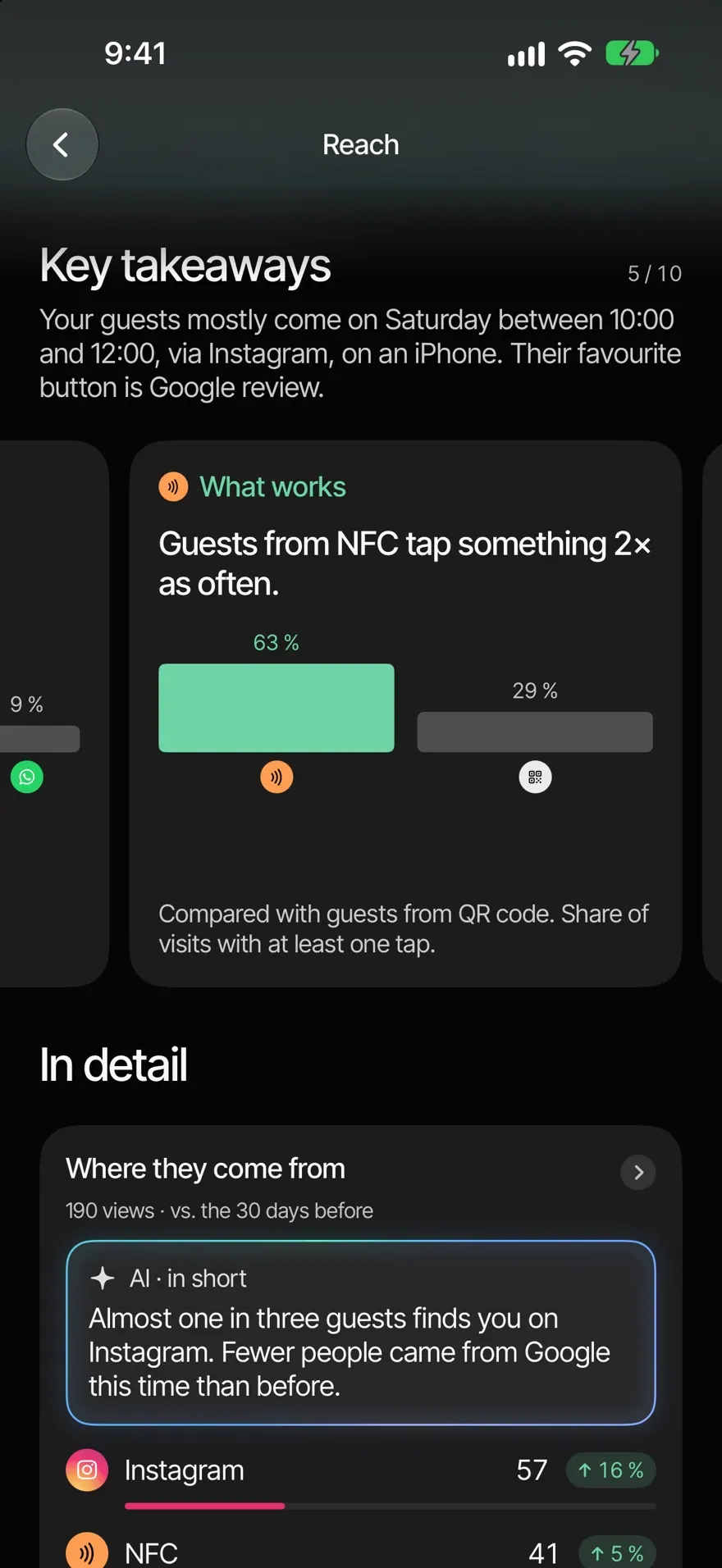
"Key takeaways" sums up your numbers in short cards: peak times, quiet days, strong sources and what's missing on your page.
"Key takeaways" sits at the top of Reach. Each card describes one thing the app spotted in your numbers, and often tells you right away what you can do.
View the cards
- Open Home›Reach.
- Swipe through the cards under "Key takeaways". At the top right you see which card you're on, for example "2 / 5".
- If a card has a button, such as Open Smart Page, Connect product or Create offer, it takes you straight to the right place.
Under the heading there's a short sentence about your guests, for example when and where they usually come from.
Which cards there are
- Patterns: "Peak time" (your busiest time), "Quiet day" (your quietest opening day, only with one location), "Top source", "What works", "Most tapped" and "Trend" (at least 20% more or fewer visits than in the eight weeks before).
- Warning: "Source", when at least 20% fewer visits came through a platform.
- Menu and loyalty: your most opened dish, search words without results, and ideas for your stamp card.
- What's missing: no Google review link, no product connected yet, or fewer than 25% of visitors tap anything.
When cards appear
The app calculates the cards from your numbers for the last eight weeks. Nothing is estimated. Patterns appear from about 30 visits in total and at least 10 in the last eight weeks. Before that you see "Too early" with "Not enough visits for patterns yet."
Common questions
Why do some cards change when I switch the period? Patterns are always based on eight weeks. The "Source" warning, the card about buttons nobody taps and the menu cards follow the chosen period.
How does the app know when I'm open? From your opening hours. Without opening hours there's no "Quiet day" card.